
YGlobal AI
Ask questions about your own YGlobal data from Claude, ChatGPT or your IDE — securely, with your own user rights.
Talk to your ERP
YGlobal AI connects your YGlobal environment to the AI assistant you already use. No exports, no Excel, no custom reports: you ask your question and get the answer straight from your own data.
How it works
- Connect — paste the URL of your YGlobal environment into your assistant’s connector settings.
- Sign in — log in with your usual YGlobal user, company and department. No API keys, no IT project.
- Ask — the assistant uses the YGlobal tools to answer your question, within your rights.
Example questions
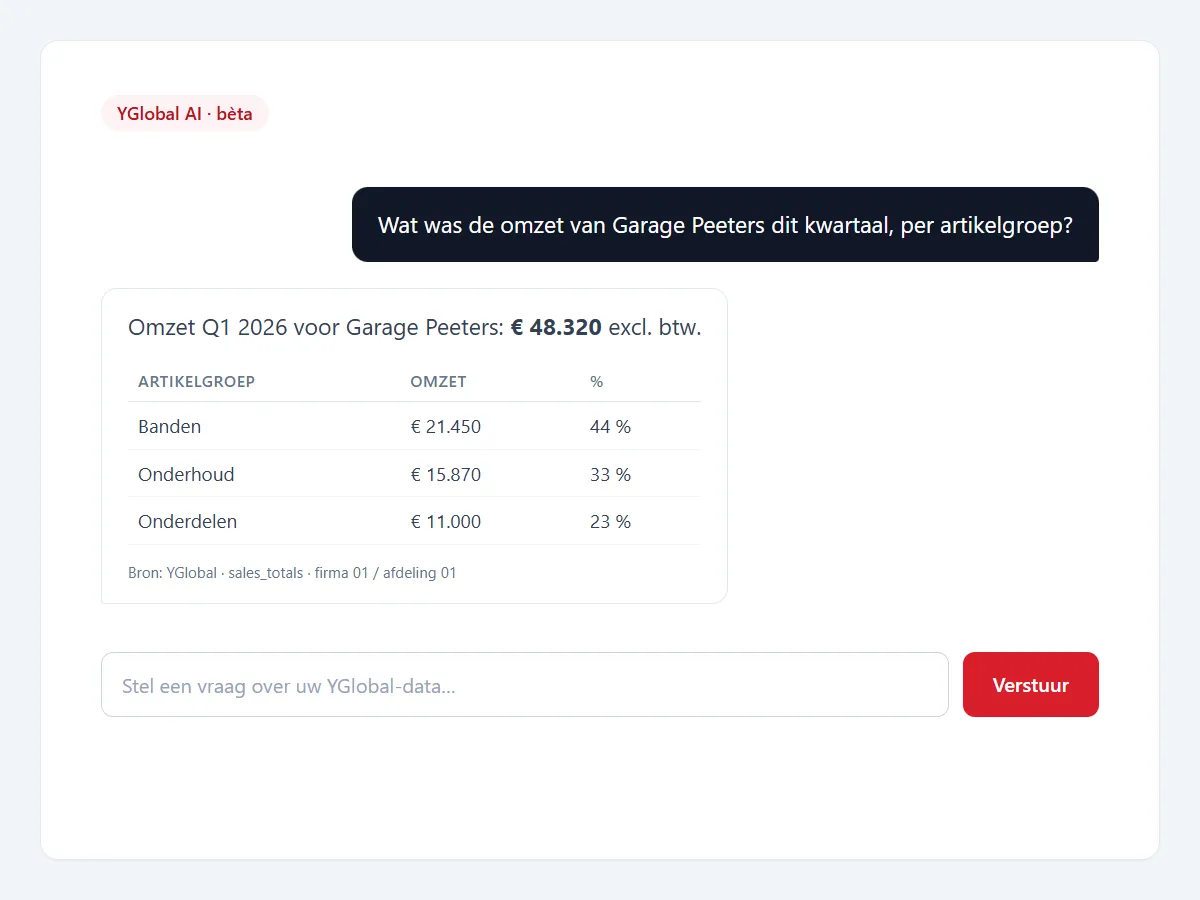
- “What was customer Peeters’ turnover this quarter, per item group?”
- “Which of today’s orders have not been delivered yet?”
- “How much empty packaging BOX-01 do we still have, and with which owner?”
- “What is on my schedule today?”
- “Show the purchase bookings of supplier X in March.”
Secure by design
Every question runs under the signed-in user: the same company and department scope and the same rights as in YGlobal itself. The AI works with a defined catalogue of business tools, not free-form SQL. Write actions are disabled by default and, when enabled, always require explicit confirmation.
Purchase invoice from PDF (preview)
Send a supplier invoice in PDF to the assistant: YGlobal identifies the supplier (VAT number, IBAN or name), extracts amounts and VAT and prepares a draft booking in daily encoding. Your accountant adds the cost lines and validates. Duplicate invoices are refused.
Open standard
YGlobal AI is built on MCP (Model Context Protocol), the open standard through which AI assistants call external tools. You are not tied to a single AI vendor, and the connection works with any MCP-compatible assistant.
YGlobal AI
Plain-language questions
Turnover per customer, open orders, stock, packaging, planning: ask and get an answer from your live data.
Your rights, your scope
You sign in with your YGlobal user. The AI only sees what you may see in YGlobal itself, per company and department.
Read-only by default
Write actions are disabled by default and always require explicit confirmation.
Works with your assistant
Built on the open MCP standard: Claude, ChatGPT, Cursor, VS Code and Windsurf, with no local installation.
Purchase invoice from PDF (preview)
A supplier invoice in PDF is read and prepared as a draft booking; the accountant validates.
Early access
YGlobal AI is in beta. Get in touch to join.