
Working time
Simple working time registration: clocking in, absences, planning and export to your payroll provider.
Ready for mandatory time registration
Belgium is preparing a mandatory registration of working time. With YGlobal Working time you already record the start and end of the working day, breaks and absences in a simple way, directly in your ERP and without an extra package.
Simple for everyone
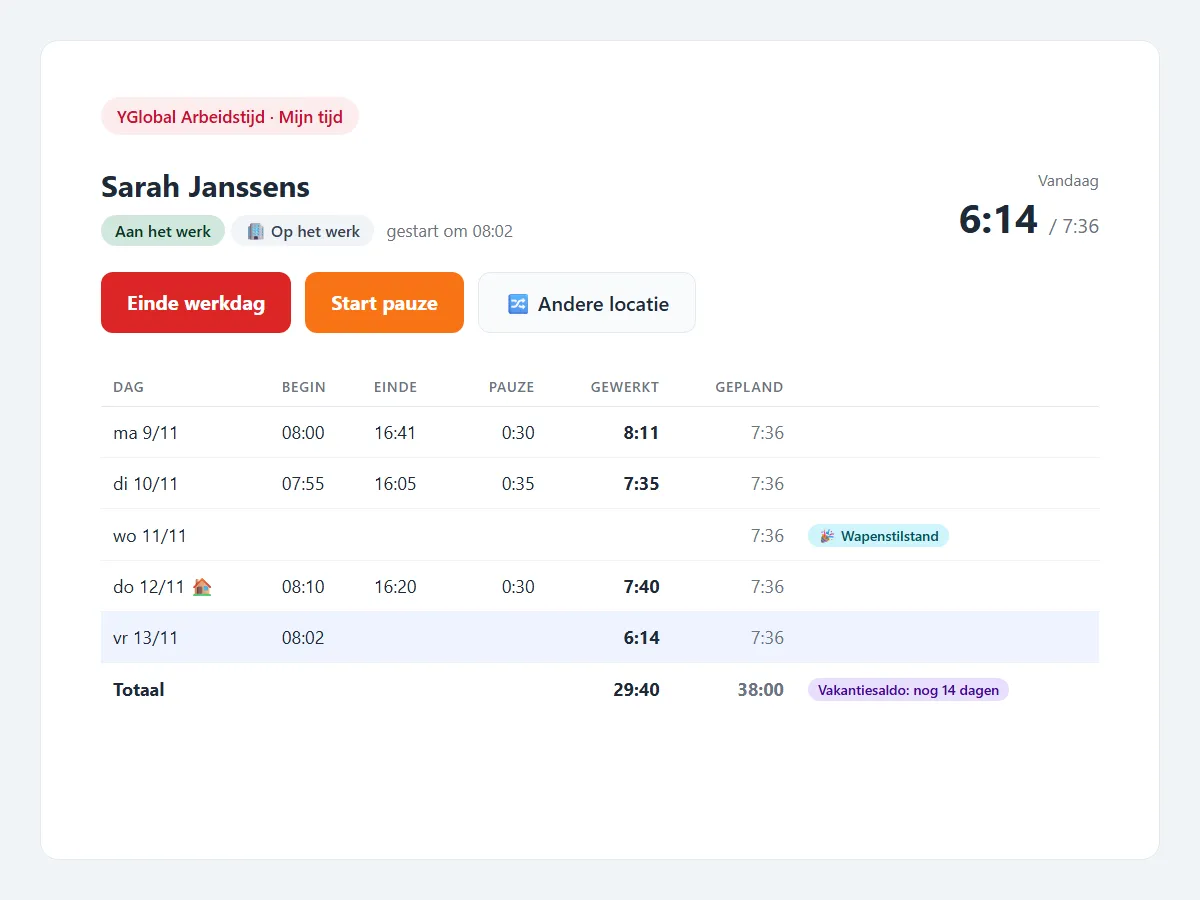
- Employees clock in at the time clock with their badge, with the tablet’s camera or with name and PIN. Or they click Start working day in My time, on PC or phone, and choose where they work: at the office, at home, at a customer or elsewhere.
- Managers see at a glance who is working, approve corrections and leave requests and lock the week.
- HR manages profiles, schedules, public holidays and absence types and exports the work to the payroll provider.
Works for you
- After logging in, whoever has not clocked in yet lands on My time right away.
- Towards the end of the day YGlobal reminds them to clock out.
- Managers receive an e-mail for every request, employees for every decision.
- Forgotten breaks can be deducted automatically, configurable per employee.
Telework and field staff
Telework days are registered as well. With a simplified arrangement the employee confirms a home working day in one click. For staff on the road, the position of the phone can be compared with the workplace or the customer. At home a position is never requested.
Reliable and traceable
Registrations are never overwritten: a correction is a request with a reason, approved by the manager. So it always remains visible what was changed, when and by whom.
Also via YGlobal AI
Ask your assistant questions such as “how many vacation days do I have left?” or “who is not in today?”. You only see your own data, as a manager also that of your team. See YGlobal AI.
Working time
Clock in where you work
With a badge or QR code at the time clock, or with one click in My time on PC and phone. At the office, at home, at a customer or elsewhere.
Hours per day and week
Worked hours and breaks are calculated automatically, with signals for no break, long days, overtime or too few hours.
Absences and vacation balance
Request and approve leave and see the remaining balance right away. Absences also appear in the CRM calendar.
Schedules and planning
Schedules of one to four weeks, changes per day and official public holidays in one click.
Approval and corrections
The manager approves corrections and requests and locks the week. Every change remains traceable.
Export to your payroll provider
Work, overtime and absences with your payroll codes, per day or as totals, plus a printable overview.